

Already a member?
Sign inBecome part of the foremost online community!
Sign Up NowOr, download the The Glaucoma Community app on your phone


Envision, BeMyEyes, and others
Explore assistive technology available in 2026, including smart glasses, accessible phones, mobility devices, headphones, and braille tools.
Assistive technology can help people who are blind or have low vision read, communicate, travel, and complete everyday tasks more independently. These tools range from accessible phones and braille displays to wearable devices that use cameras and artificial intelligence (AI).
Technology is changing quickly, however. Features, prices, subscriptions, and availability may vary. Here is a sample of assistive devices that are available or in development as of August 2026.*
*Note: The Glaucoma Community has not tested these products and does not endorse or recommend any particular brand or device.
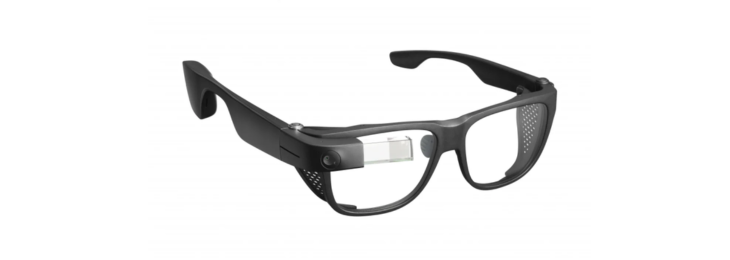
Envision Glasses use a camera and AI-powered software to turn visual information into spoken descriptions. Depending on the edition, features may include:
Different editions include different features and software-update plans. Envision Glasses are built on Google Glass Enterprise Edition 2 hardware, but Envision continues to sell, update, and support the product.
The glasses can provide helpful information about your surroundings, but they should not be considered a replacement for a white cane, guide dog, or orientation and mobility training.
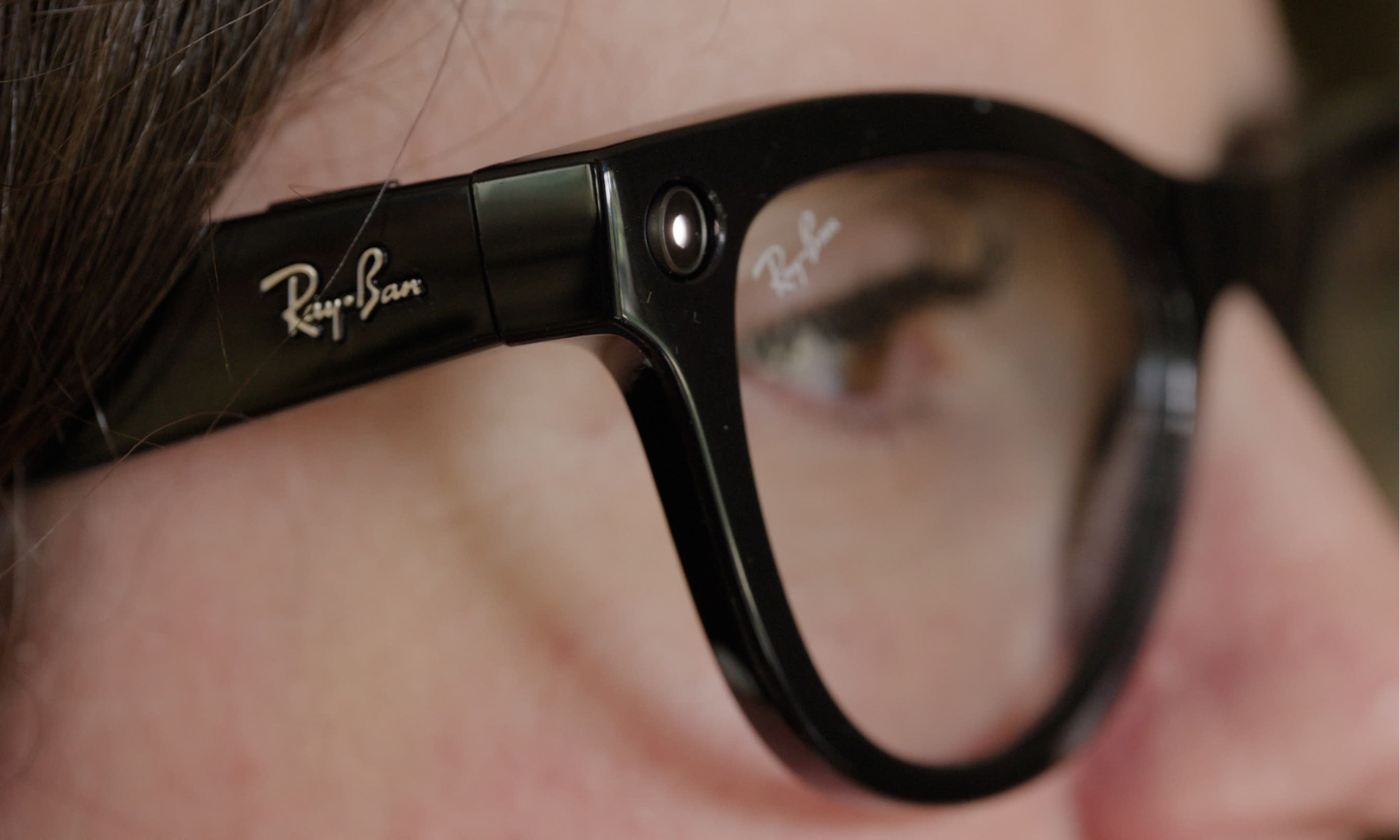
Ray-Ban Meta and certain Oakley Meta glasses are mainstream smart glasses, not dedicated medical or mobility devices. However, they now include accessibility features that may be useful for people who are blind or have low vision.
Users can connect with a Be My Eyes volunteer through a voice command. The volunteer sees through the glasses’ camera and provides spoken help through the open-ear speakers. This hands-free assistance may help with tasks such as:
Meta AI can also provide detailed descriptions of what is in front of the user, although features and availability vary by country. These glasses should not be used as a replacement for a white cane, guide dog, or other primary mobility aid.

The BlindShell Classic 3 is an accessible mobile phone designed for people who are blind or have low vision. It combines large tactile buttons with spoken menus, voice commands, and a touchscreen for certain third-party apps.
Features include:
The earlier BlindShell Classic 2 remains available and continues to receive updates. The Classic 3 is the newer model and offers additional AI and third-party app features.
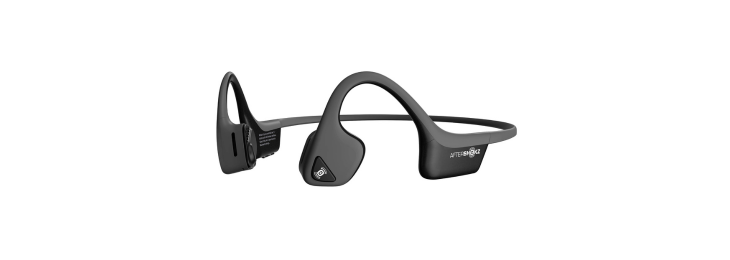
Shokz headphones, such as the OpenRun, use an open-ear design. Many models use bone-conduction technology, which sends sound through vibrations near the cheekbones instead of placing earbuds inside the ears.
These headphones may help you:
Not every Shokz model uses only bone conduction, so it is important to check the specifications before buying. An open-ear design may improve awareness of surrounding sounds, but it does not guarantee safety when walking, crossing streets, or traveling in busy areas.

The WeWALK Smart Cane 2 combines a traditional white cane with electronic features. The cane still detects curbs, steps, and ground-level obstacles through physical contact. Its electronic sensor adds alerts about some obstacles above the ground, such as branches or signs.
Other features include:
Electronic features may not detect every obstacle or hazard. Proper white-cane skills and orientation and mobility training remain important.
Glide is not a smart cane. It is a two-wheeled, AI-powered mobility device designed to physically guide a user around obstacles.
The user holds Glide’s handle and pushes the device forward. Its cameras, sensors, and steering system are designed to:
As of August 2026, Glide is undergoing a limited pilot rollout and is not broadly available for immediate purchase. Glidance is directing interested users to a waitlist for future ordering opportunities.

Orbit Research offers several refreshable braille devices, including the Orbit Reader 20, 20 Plus, and 40. A refreshable braille display uses small moving pins to turn digital text into braille.
Depending on the model, an Orbit Reader may:
Features vary by model, so users should compare the number of braille cells, supported connections, storage, and note-taking functions.
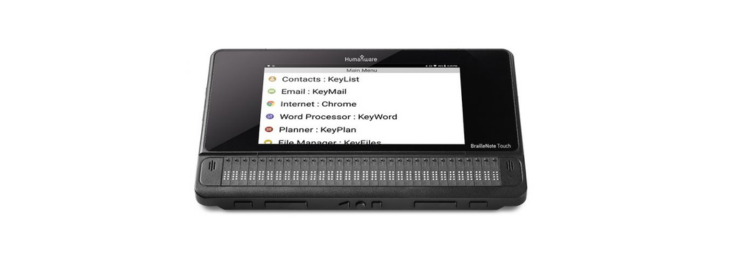
The BrailleNote Touch Plus is a braille notetaker and tablet designed mainly for students and other braille users. It combines a refreshable braille display, speech output, a touchscreen, and a removable Perkins-style braille keyboard.
It can be used to:
The device continues to receive updates to HumanWare’s KeySoft software. However, it runs Android 8.1, an older operating system. Some newer Android apps may not install or work as expected, so compatibility should be checked before purchasing.
The best device depends on your vision, mobility skills, comfort with technology, and daily needs. Before purchasing an expensive product, consider requesting a demonstration or trial period. You can also speak with an orientation and mobility specialist, low-vision rehabilitation professional, teacher of students with visual impairments, or assistive technology specialist.
Financial support may sometimes be available through vocational rehabilitation programs, schools, employers, insurance plans, veterans’ programs, or nonprofit organizations. Ask about the total cost, including subscriptions, software updates, accessories, training, repairs, and warranties.
Assistive technology cannot eliminate every barrier, and AI tools can sometimes provide incomplete or incorrect information. Still, the right device—combined with proper training—may make it easier to access information, communicate, travel, and participate more independently in everyday life.
Sources:
The Glaucoma Community has not tested these products and does not endorse or recommend any particular brand, manufacturer, or device. We are not receiving payment or other compensation from the companies mentioned for including their products in this article. Products are included for general informational purposes only. Please consult with your personal healthcare team prior to adjusting your clinical care.
Source: {{articlecontent.article.sourceName}}
Receive daily updated expert-reviewed article summaries. Everything you need to know from discoveries, treatments, and living tips!
Already a Responsum member?
Available for Apple iOS and Android


We've sent a report to our community managers who will take the necessary steps. This member will be removed form your Community Chat and will no longer be able to message you.
Please contact us if you have any questions.
Add Comments
Cancel